Power BI Report Review Checklist for Teams
Code gets reviewed before it merges. Power BI changes, sometimes don’t. A developer edits a measure, eyeballs one visual, and publishes. The result can be a silent number shift nobody catches until a stakeholder does, the duplicate measure created because review would have surfaced the original, the model that drifts from every standard the team thought it had.
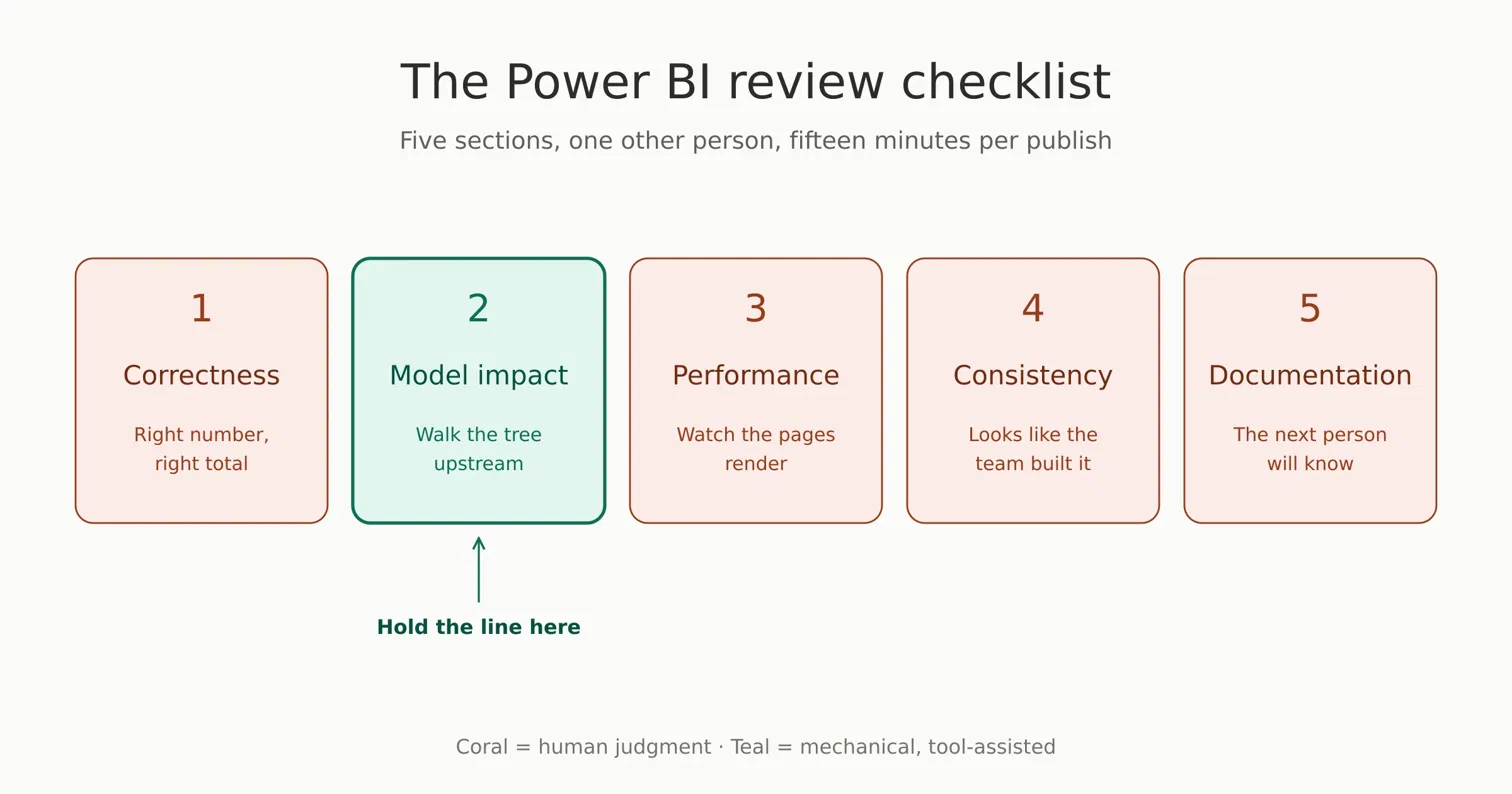 A review is the pre-ship evaluation of a specific change. A review is distinct from the periodic audit, which evaluates the accumulated state of the whole model. Reviews catch problems entering; audits catch problems accumulating. A team needs both, but the review is the cheaper habit with the faster payoff, and it works best as a short, boring, consistent checklist. Here’s a review checklist you can steal…
The checklist
1. Correctness: Does the change do what was asked?
- The number matches a known reference (a source query, a manual calc, last month’s verified figure) for at least one filter context. This goes beyond the basic “looks plausible.”
- Edge cases behave: blanks, zero-row filters, totals. DAX that’s right per-row and wrong in the total row is the classic reviewer catch.
- The business definition is confirmed, not assumed.
2. Model impact: What else does this touch?
The section that separates a real review from a glance:
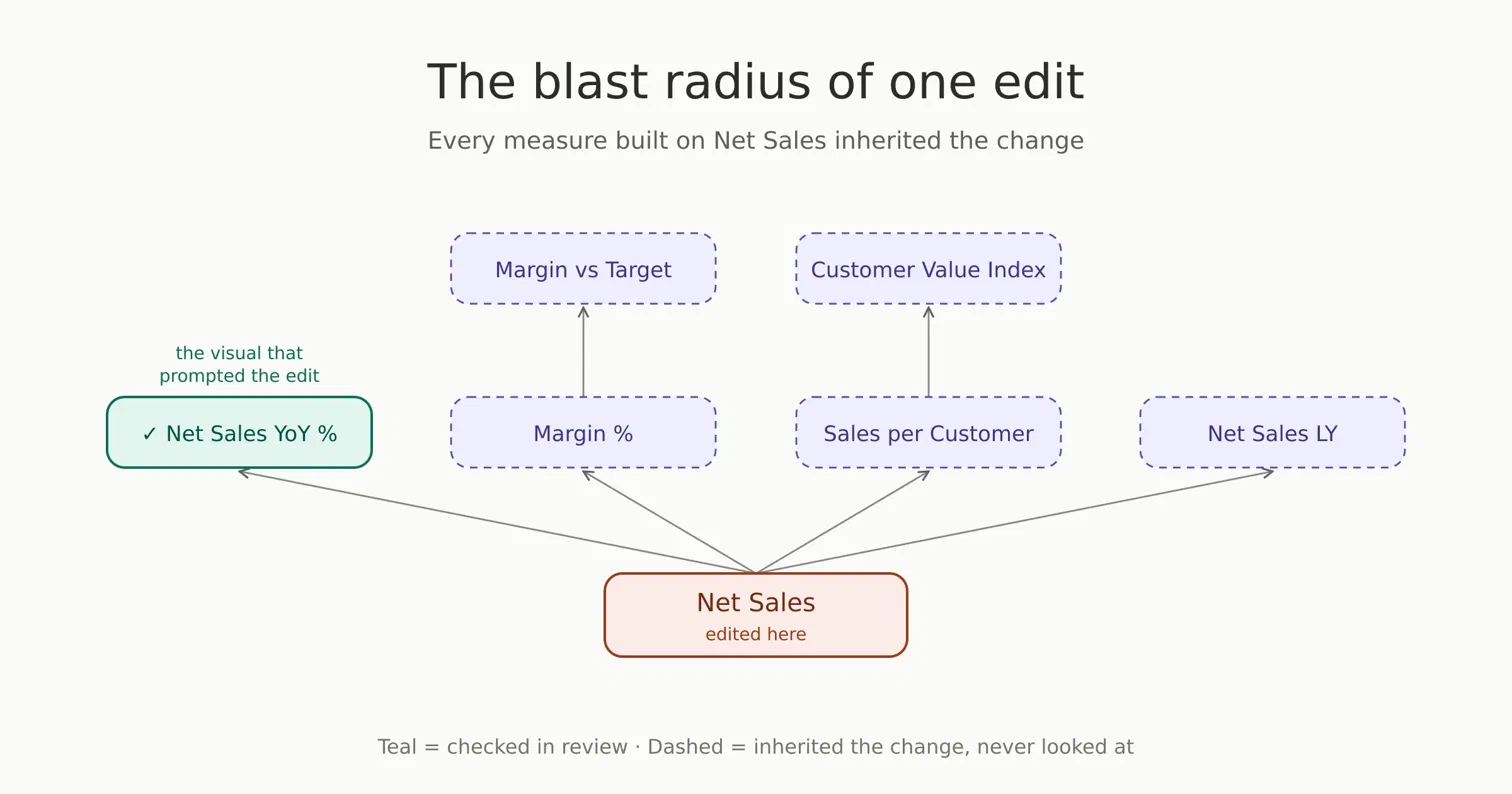
- If an existing measure changed: walk its dependency tree upstream. Has every measure built on it inherited the change? This is the blast-radius check, and it’s non-negotiable for anything foundational.
- If a measure was added: does it duplicate something that already exists? Ten seconds of field-list search prevents the drift-prone near-copy.
- If anything was deleted: was it verified unreferenced and undisplayed first?
- Relationships: any cardinality or direction changes, and were they intentional?
3. Performance: Did the change make anything slower?
- Open the changed pages and watch them render. Sluggish visuals caught in review cost minutes; caught in production they cost trust.
- New calculated columns deserve a question: could this be a measure, and why isn’t it?
4. Consistency: Does it look like the team built it?
- Naming follows the team’s conventions — tier-appropriate, no
v2, notest. - Formatting matches: decimal places, currency symbols, date formats consistent with the rest of the report.
- The DAX style is house style, is VAR usage, comment habits, measure organization consistent?
5. Documentation: Will the next person know?
- The measure has its one-line business definition.
- Model documentation was regenerated/updated in the same change aka the same-commit habit.
- Anything deferred (a known limitation, a debt item consciously taken) is written down, not just mentioned in the review.
Running it without ceremony
The checklist fails if it becomes a meeting. What works:
- Second-set-of-eyes as the default. Every publish gets one other person running the checklist, fifteen minutes for a typical change, not a review board.
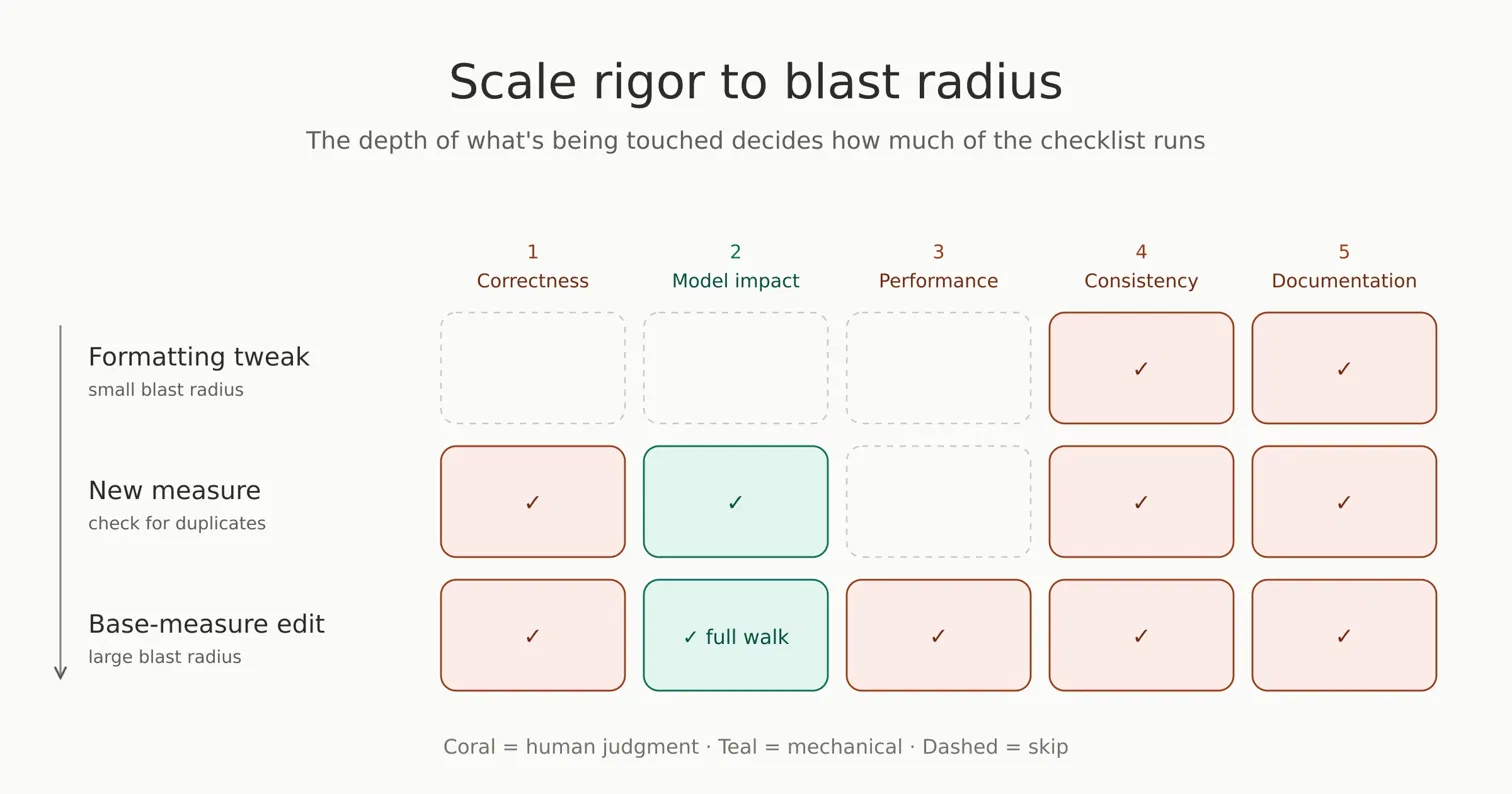
- Scale rigor to blast radius. A visual formatting tweak gets sections 4–5. A base-measure edit gets the full list, with the dependency walk done properly. The depth of what’s being touched is the rigor dial.
- Reviewer rotates. Everyone reviews, everyone gets reviewed, this is how conventions spread and how the new developer learns the model fastest.
- Findings go somewhere. A caught issue is fixed or logged, never just chatted about. The review that catches a problem twice has caught a process failure.
One honest note: sections 1, 3, 4, and 5 are judgment, and stay human. Section 2, the model-impact walk, is the mechanical one, and the one most often skipped because it’s tedious by hand. A dependency tree tool makes it the fastest section instead of the slowest, which is precisely what keeps the checklist short enough to survive contact with deadlines.
Print it, pin it, and hold the line on section 2. Most of what teams call “Power BI quality problems” are just the changes nobody walked upstream.