Best Way to Auto-Generate Power BI Documentation
Documenting a Power BI model by hand takes a long time. You need to understand ETL in Power Query, walk through the field list, transcribe the measure logic, map relationships, and hoping you don’t miss the hidden helpers. Retrofitting it onto a mature model is the task everyone agrees matters but no one ever seems to have time to do.
Here’s the fact that changes the economics: everything structural about your model is already written down. Every table, column, relationship, measure definition, and Power Query step is encoded in the model file. Manual documentation is a human transcribing what a machine already knows. This makes Power BI report documentation exactly the kind of work that should be generated, not typed. The question isn’t whether to auto-generate; it’s what auto-generation can honestly cover, which approach to use, and how to keep the output alive.
What can be auto-generated — and what can’t
Setting expectations first, because “auto-generated documentation” over-promises if left vague.
What can be generated? The structure:
- The full inventory: tables, columns, measures, with types, formats, and visibility.
- Every measure’s DAX, and a readable summary of what it computes.
- Relationships with cardinality, direction, and active status.
- Dependency trees — which measures build on which, all the way down. Tedious beyond reason to map by hand; trivial to extract, since every reference is in the DAX.
- Power Query logic, translated into plain-language summaries of what each query does.
What can’t be generated? The meaning:
- Why the model is shaped the way it is, the design decisions.
- What a measure means to the business (“excludes intercompany, per the 2024 finance policy”) as opposed to what it computes.
- Which caveats matter like what’s the source that’s fragile or what number stakeholders typically misread.
That split is roughly 80/20 by volume — and the 80% is precisely the tedious, error-prone transcription that makes manual documentation die in the planning stage. Automation’s real gift is that it leaves humans only the 20% that was worth a human in the first place.
The three approaches
1. Query the metadata yourself
DMV or INFO queries through DAX Studio pull the raw inventory; from there you build the document by hand or with your own tooling. Free and complete, but the output is metadata, not documentation, and turning one into the other is a recurring project you now own. It also stops at the inventory: raw metadata gives you that a measure exists and its expression, not a readable summary, and assembling dependency chains from reference data is real work.
2. Script it in Tabular Editor
Tabular Editor’s scripting can export model contents in whatever shape your C# produces, and community scripts cover the common cases. This is repeatable and free and its the honest choice for a team with tooling skills. The limits are the script’s limits: readable measure summaries, M translation, and navigable dependency trees are all possible, but each is a feature you’re now building and maintaining rather than using. You should ask yourself, how much are you paying someone with these skills and are there better uses of their time?
3. Use a dedicated documentation tool
Tools built for the job (tools like DAX Prism) read the model file and produce the finished artifact directly: the inventory, readable measure summaries, relationship maps, the dependency trees, and plain-English translations of the Power Query, formatted for humans in minutes. The trade is the obvious one: it’s a paid tool, and the output is its format rather than your bespoke design.
(If the specific artifact you need is the reference list of fields and definitions, that’s a narrower problem with its own comparison — see data dictionary generators compared. This post is about the whole document.)
What “best” actually means
The right way to choose isn’t tool-by-tool; it’s criteria-first. Generated documentation earns its keep when it hits four marks:
- Complete — including the parts manual docs always skip: hidden objects, dependency chains, and the M layer. Docs that stop at visible measures document the part of the model that needed it least.
- Readable by non-authors — a stakeholder or new developer can navigate it without knowing DAX. Raw metadata dumps fail here; that’s the gap between extraction and documentation.
- Re-runnable in minutes — because currency is the whole game. Documentation regenerated per change stays trusted; documentation that costs a day to refresh will be refreshed never.
- Version-controllable output — text, storable next to the model, diffable per change. This is what turns docs from a snapshot into a history — the workflow from version-controlling Power BI documentation.
Score the three approaches against those four and the pattern is clear: the DIY routes can hit completeness with enough investment, struggle with readability out of the box, and hit re-runnability only after you’ve built the pipeline. Dedicated tools exist because hitting all four is the product.
The workflow that keeps it alive
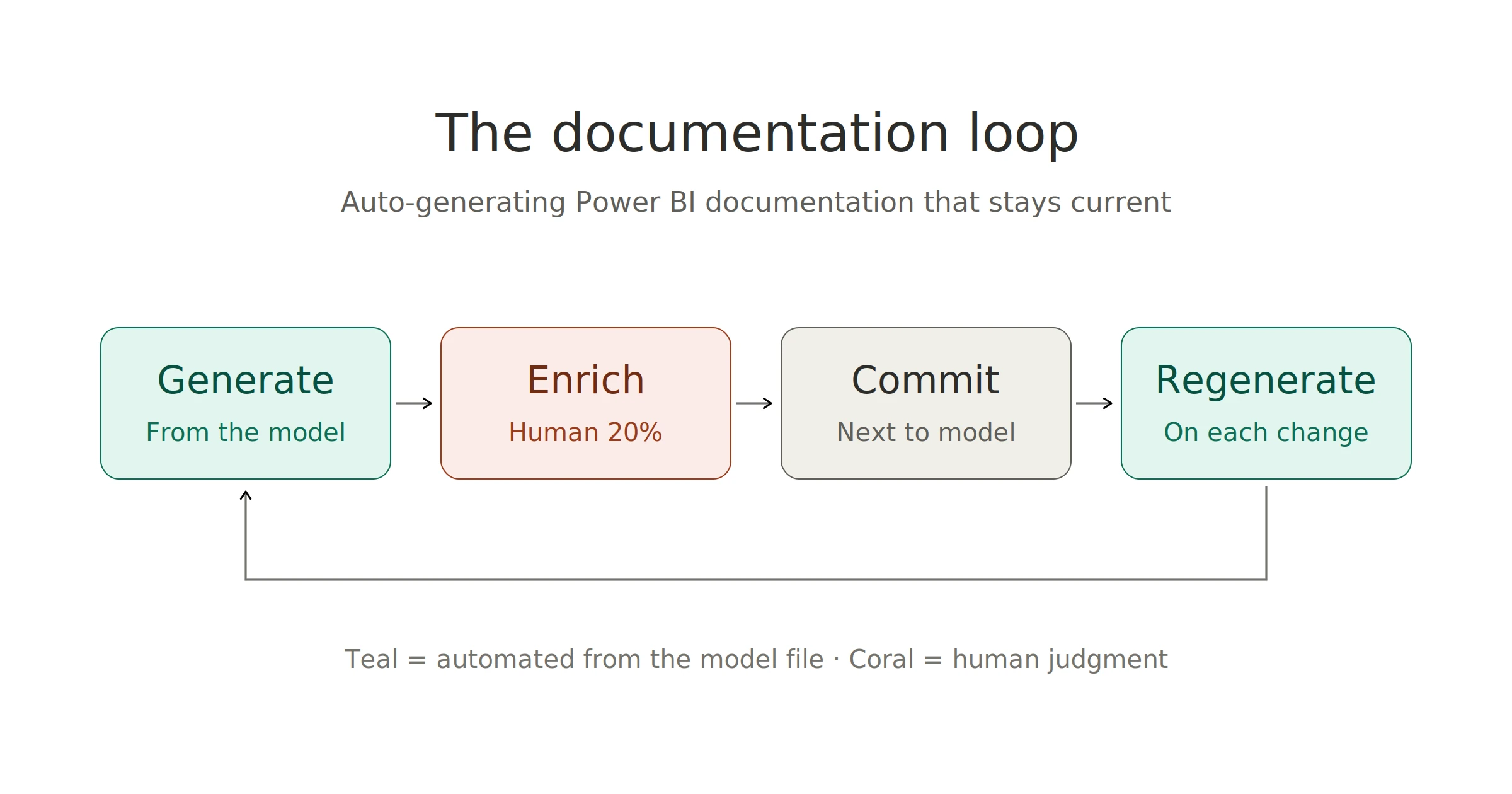
Auto-generation isn’t a one-time export; it’s a loop:
- Generate the structural documentation from the current model.
- Enrich it with the human 20% — business definitions on the measures that need them, the design-decision notes, the caveats. This is hours, not days, because the transcription is already done.
- Commit the result alongside the model, per the version-control workflow.
- Regenerate on change — every meaningful model edit gets a regenerated doc in the same commit, so the diff shows the model change and its documentation footprint together.
The loop is the answer to the objection every burned team raises — “our docs were wrong within a month.” Generated docs can’t drift from the model, because they’re derived from it; only the human enrichment layer needs maintenance, and it’s small.
Where does this leave manual documentation? As the enrichment layer, exactly. The full picture of what complete documentation covers — and where the human judgment slots in — is the subject of how to document a Power BI data model; auto-generation is the engine that makes that process cost hours instead of days.
Frequently asked questions
What parts of Power BI documentation can be auto-generated? Everything structural: the table/column/measure inventory, measure DAX with readable summaries, relationships, dependency trees, and plain-language descriptions of Power Query logic. What can’t be generated is meaning, business definitions, design rationale, and caveats.
Is auto-generated documentation good enough on its own? It’s complete but not finished. The generated layer answers “what exists and how it connects”; a human layer answering “what it means and why” is what turns it into documentation people rely on. The practical split: automation does the 80% that’s transcription, people do the 20% that’s judgment. DAX Prism does prompt you for additional business logic and stores that in the .HTML report outputs.
How often should documentation be regenerated? With every meaningful model change, ideally in the same commit — regeneration takes minutes, so there’s no reason to let docs and model drift. A quarterly regeneration is the floor for models that rarely change.
Does this work on an inherited model with no existing docs? Especially there. Generating the structural documentation is the fastest way to get a map of a model you didn’t build.